XQ’s Secure Forms offers a more secure and compliant alternative to traditional form solutions and protects your customers’ personally identifiable information before it is transmitted over the public internet.
XQ Secure Forms is easy to set up and is a hassle-free solution for safely receiving client information. XQ works with your existing form, so no need to replace the form solutions you have already invested in. XQ offers plug and play data compliance for HIPPA, GDPR, CCPA and other regulated information intake.
When a client, a patient, a customer, or a prospect fills out your form, a unique encryption keyis generated and the form data is encrypted in the client’s browser. The encrypted data is then delivered to your email- XQ never stores your data and ensures that only authorized users can decrypt it, keeping your client data safe from prying eyes.
Secure forms protect your data with XQ’s Zero Trust data protection. By using Zero Trust, we ensure that all sensitive customer information on third party websites such as WordPress and SquareSpace are secured and encrypted allowing you to control your customers data.
XQ Secure Forms is free up to 1000 Submissions!
Install XQ’s Secure Forms Plugin on WordPress
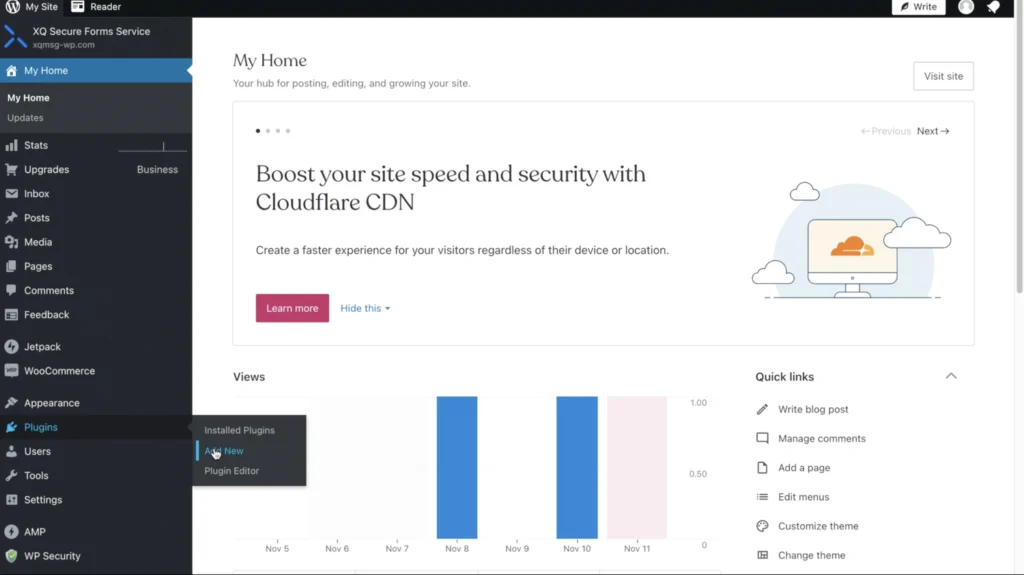
Head over to your WordPress Administration dashboard and hover over your navigation bar. From your navigation bar, click on ‘plugins’, followed by clicking on the ‘add new’ option
This will then direct you to the ‘add new plugins’ page. Type in ‘ XQ Secure Forms’ in the search field and press ‘Install Now’, followed by clicking the ‘Activate Now’ button. By doing so, you are installing the XQ Secure Forms plugin directly into your WordPress site. 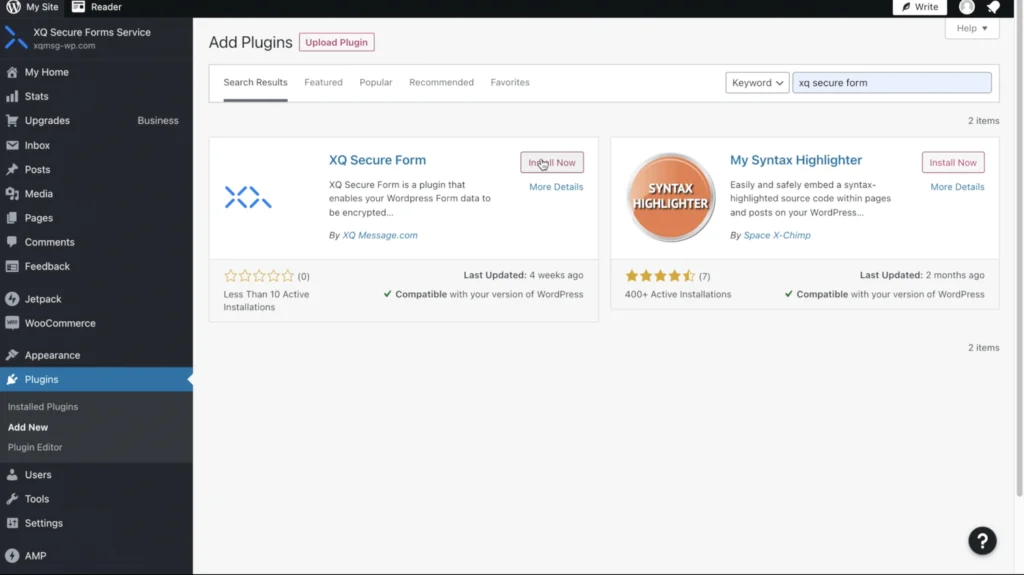
Followed by clicking on the ‘Install’ button of XQ Secure Forms, this will direct you back to the administrator dashboard. Click on ‘Setting’ in the navigation bar, you will then click on XQ Secure Forms’ in the drop down menu. 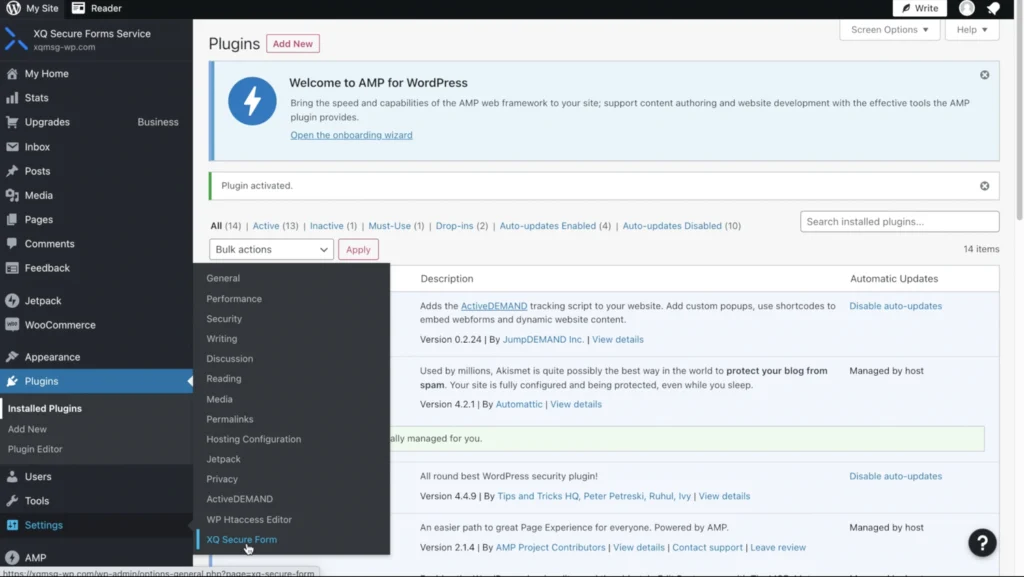
Set Up Your Account & Add Users In the input fields, enter the email associated with your XQ Account, if you do not have an XQ Account one will be automatically created using the email address input. 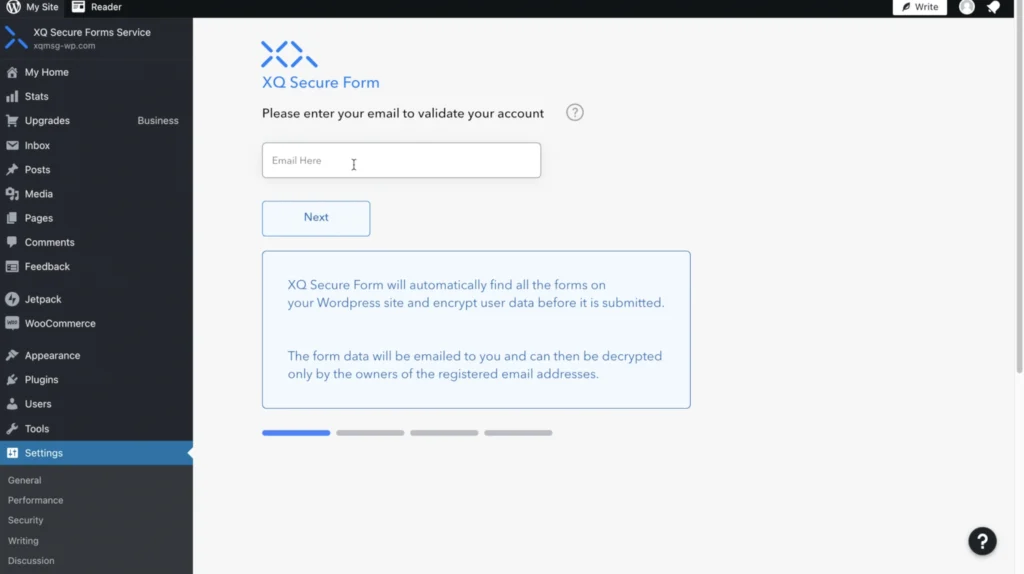
You will then find an email from XQ for a one-time 6-digit code and input this code into the validation pin input field to validate your account. Please check your spam folder if you do not see the email in your inbox. 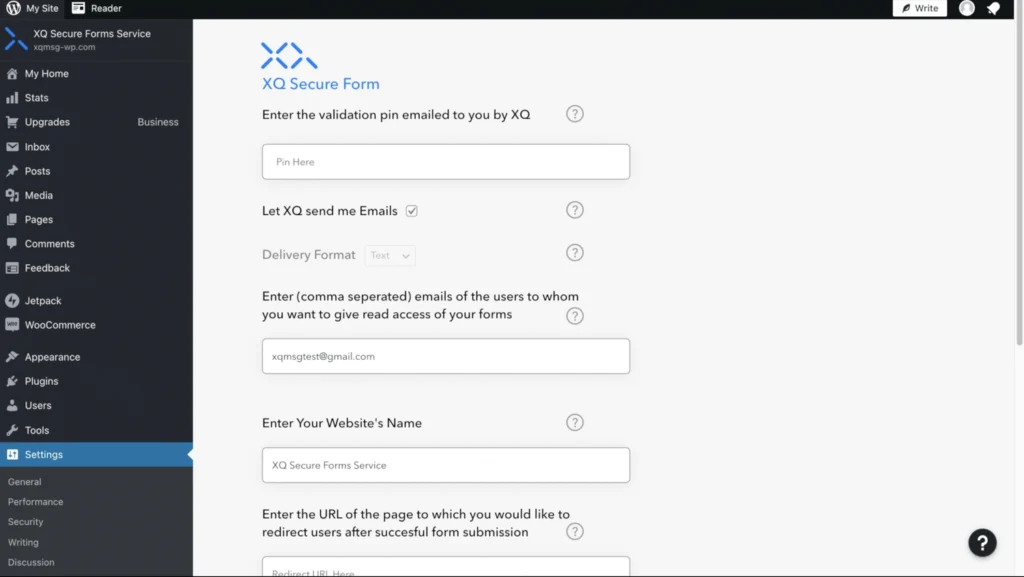
To add users, enter the emails of users you’d like to give read access to your forms. You may input multiple users’ emails – just separate them with commas. Each user will then have authorized access to decrypt the form submissions. Each of these email addresses will receive a copy of the encrypted form in their inbox each time an encrypted form is submitted. Enter your website’s name in the input field, followed by entering the URL of the page you’d like to direct users to follow the form submissions. This URL is where the users are redirected after successfully submitting a form. 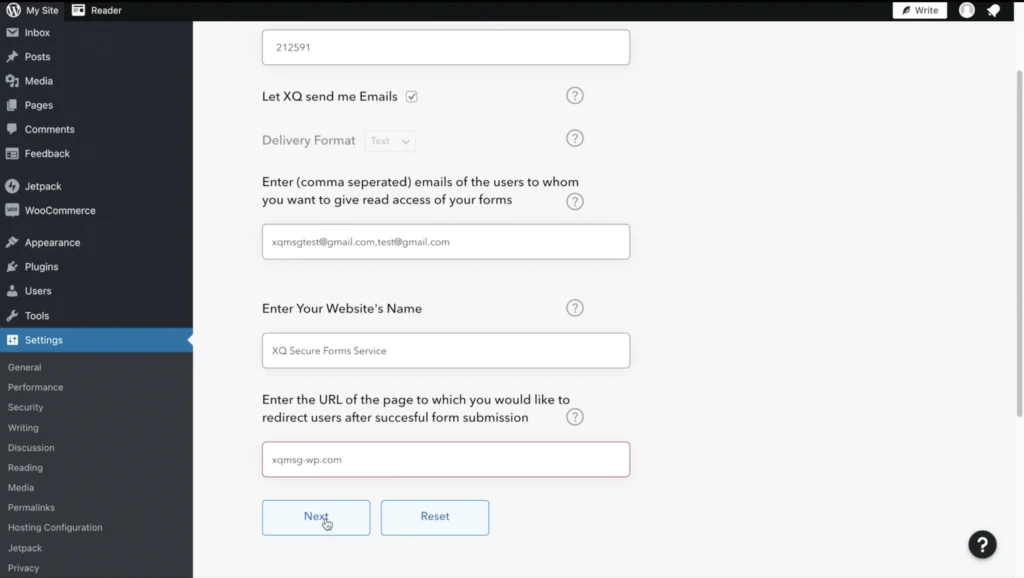
Once you’ve completed filling out the input fields, press the ‘Next’ button. 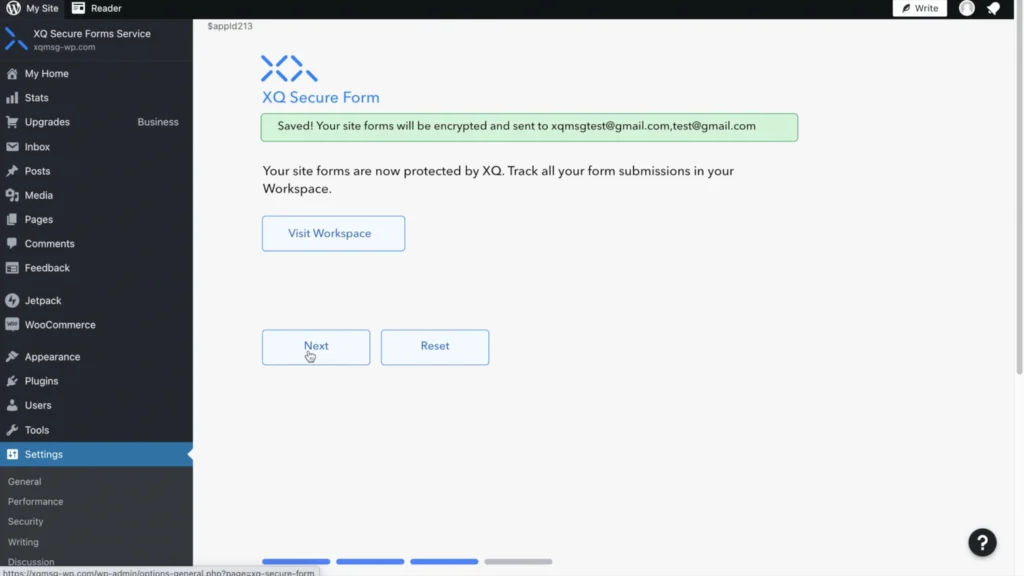
Your WordPress site forms are now protected with XQ. You can now collaborate safely and securely with co-workers and customers. Decrypt Files on Outlook, G-Suite, and Chrome 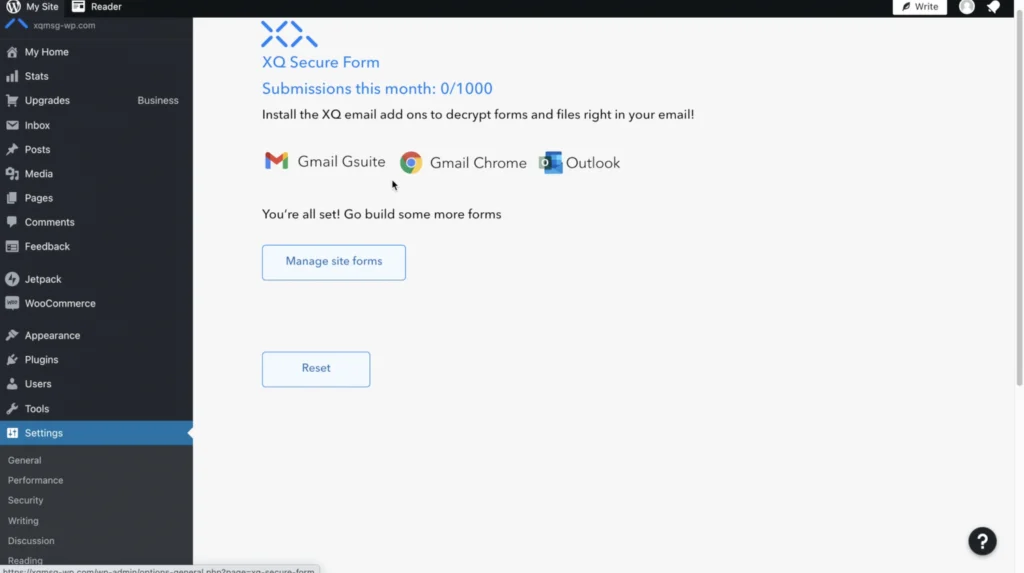
For easy decryption, install either our Outlook , or G-Suite , XQ’s Chrome add ons. Watch the demo below on how to decrypt forms with our Outlook Add-On:
XQ Secure Forms is free up to 1000 Submission Forms, try it out today!
For instructions on how to do so, watch our demo videos here:
For more information on XQ’s Perimeter-Less Zero – Trust Data Protection platform and products checkout the following links:
XQ Website
XQ Secure Forms WordPress Plugin
https://wordpress.org/plugins/xq-secure-form/
Request a demo or set up an appointment
Frequently asked questions
What is XQ Secure Forms?
XQ Secure Forms is a WordPress plugin that encrypts form submissions with Zero Trust data protection before they travel over the public internet. It protects customers' personally identifiable information, works with existing forms so there is no need to replace current form solutions, and supports data intake regulated under HIPAA, GDPR and CCPA.
How does XQ Secure Forms encrypt form data?
When someone fills out a form protected by XQ Secure Forms, a unique encryption key is generated and the form data is encrypted in that person's browser. The encrypted data is then delivered to the site owner's email. XQ never stores the data, and only authorized users can decrypt the submission.
How do you install XQ Secure Forms on a WordPress site?
To install XQ Secure Forms, go to Plugins and Add New in the WordPress dashboard, search for XQ Secure Forms, then install and activate it. Under Settings, open XQ Secure Forms, enter the email for your XQ account, validate it with the six-digit code emailed to you, add authorized users, and set your website name and redirect URL.
How do recipients decrypt XQ Secure Forms submissions?
Recipients decrypt XQ Secure Forms submissions using XQ's Outlook, G-Suite or Chrome add-ons. Each authorized user added during setup, entered as comma-separated email addresses, receives a copy of the encrypted form in their inbox whenever a form is submitted and has authorized access to decrypt it, so teams can collaborate securely on client information.